project 02 / 09 · since Nov 2026

FlowforiPhone
Flow in your pocket: the board, an inbox for your agents, and the mind map and timeline, native on iPhone and iPad.
- beta
- Designed and built it
- open source ↗
try clicking around ↗
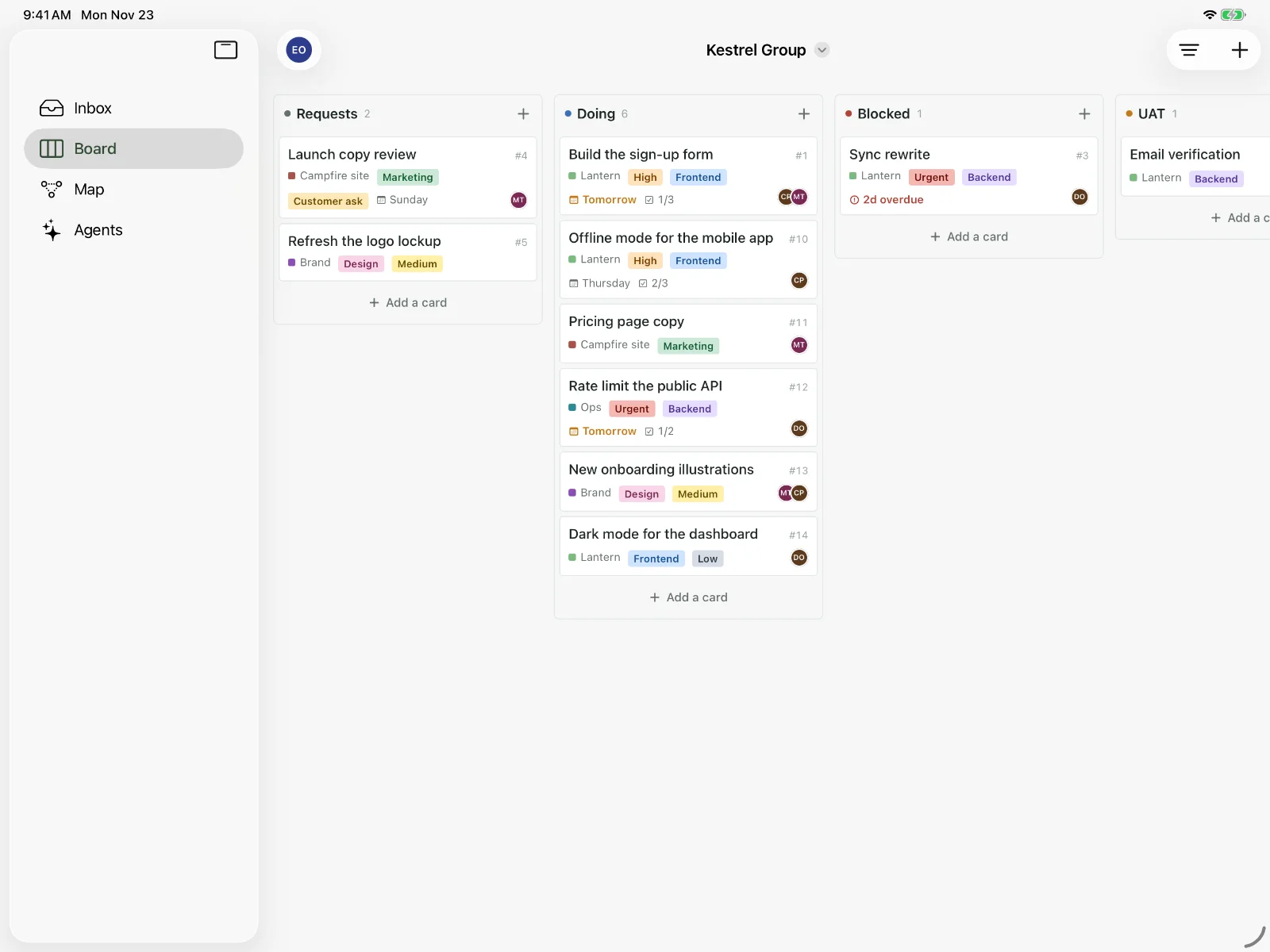
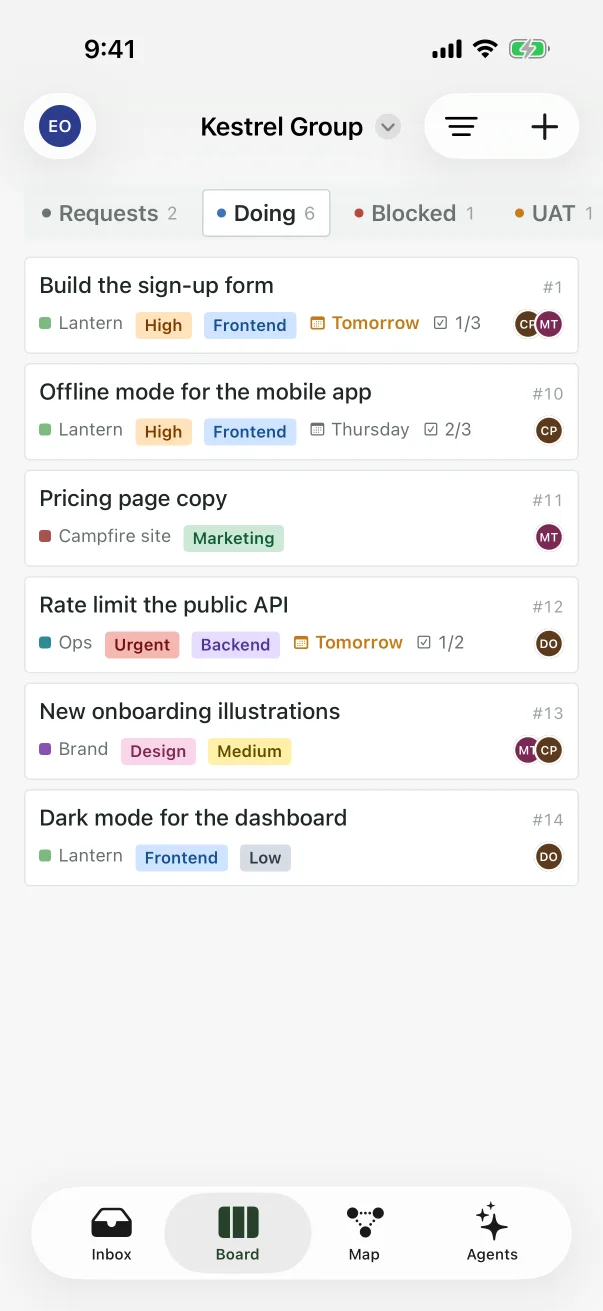
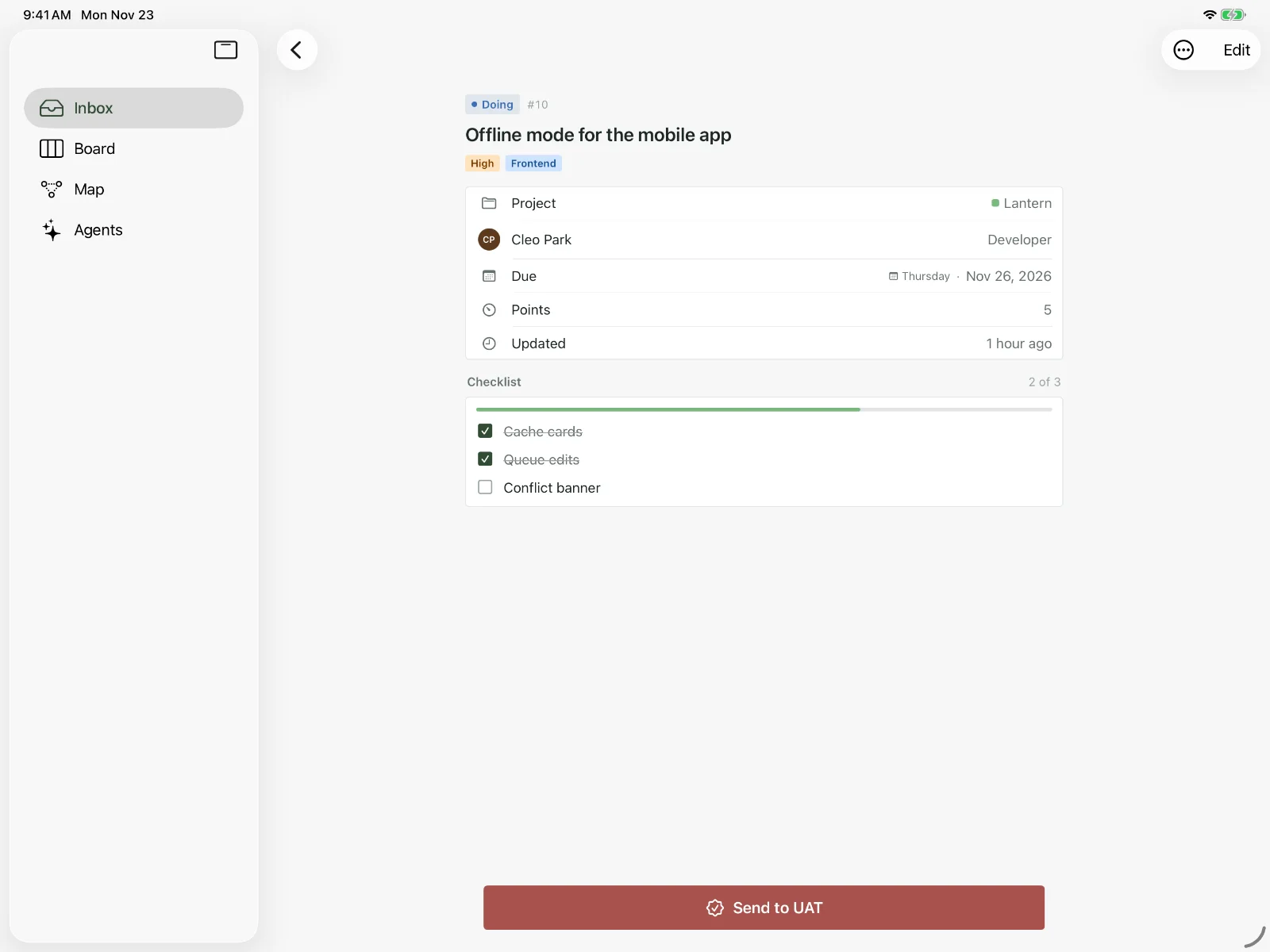
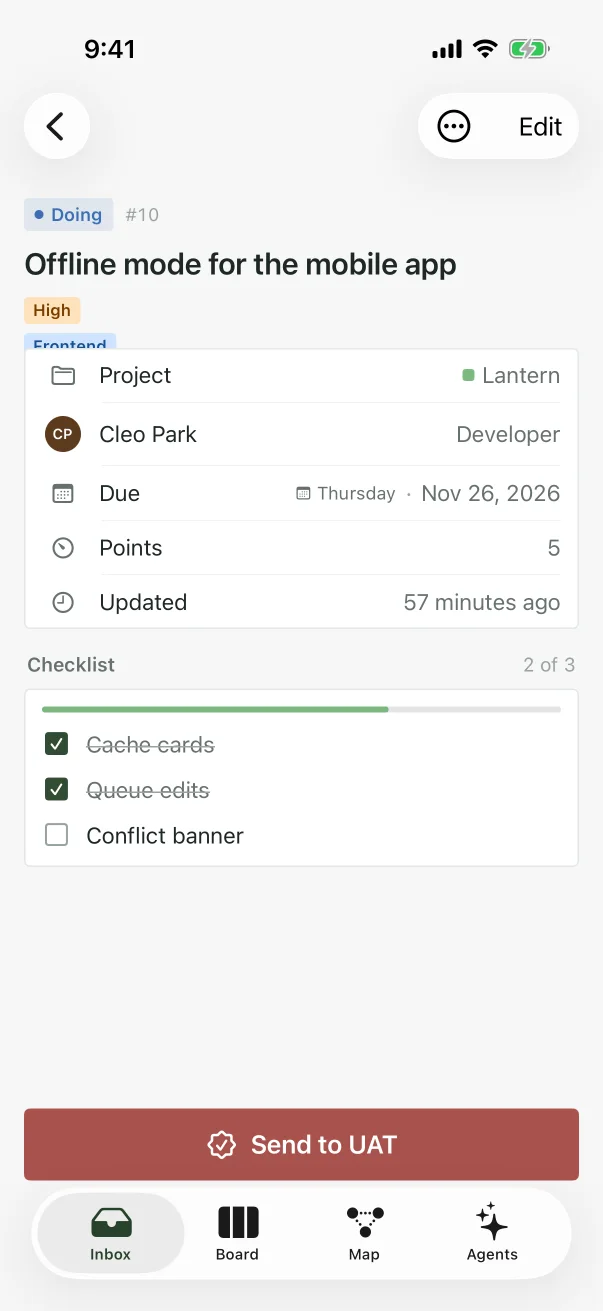
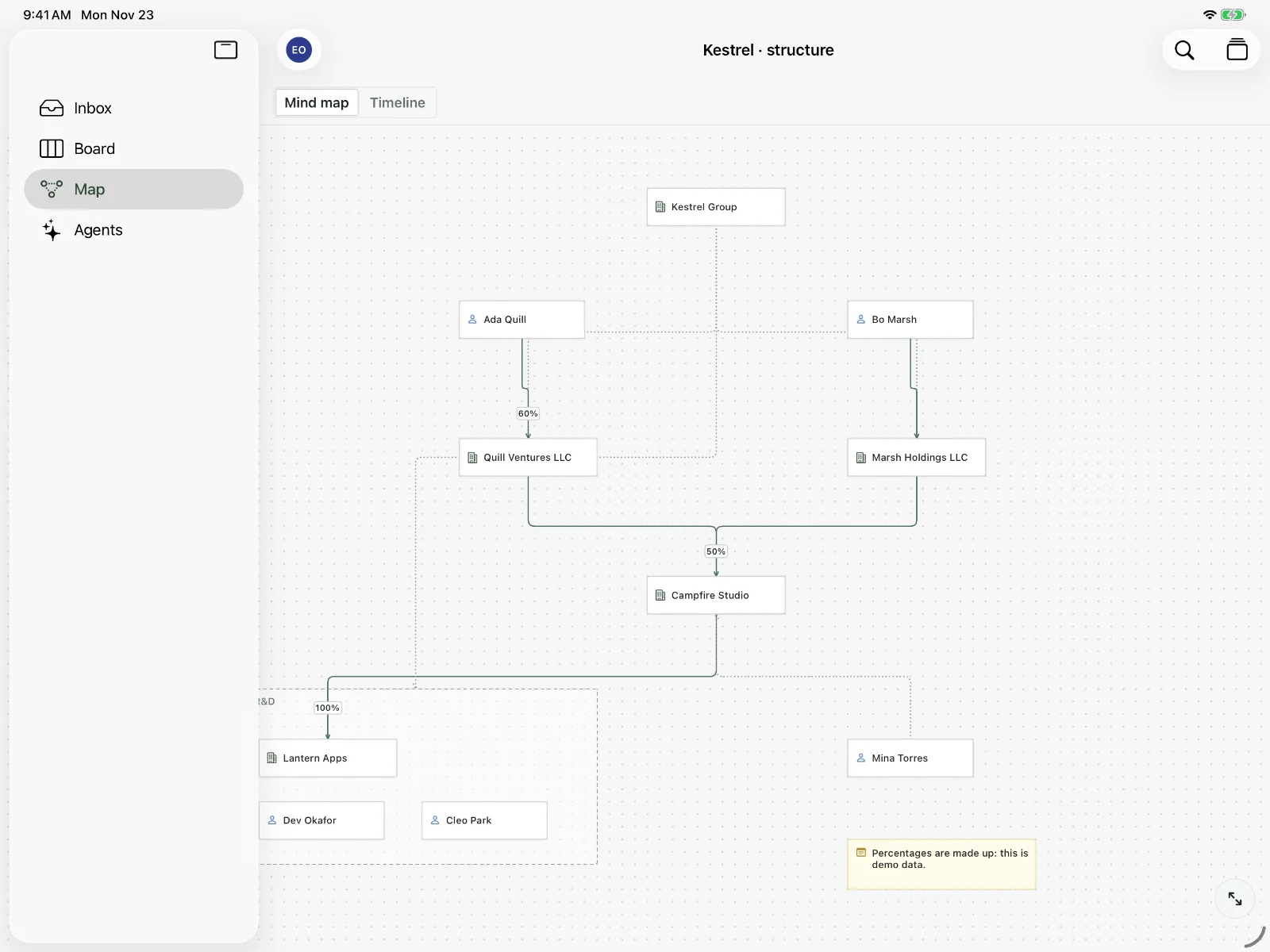
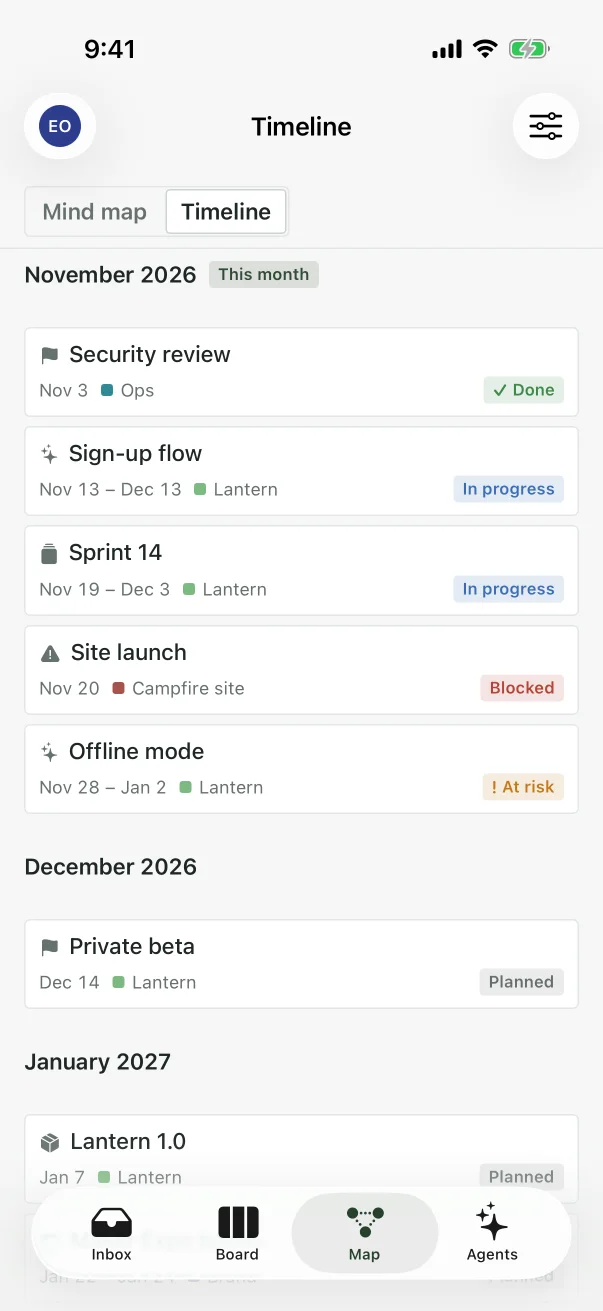
everything in Flow for iPhone
Everything in your pocket
- InboxBetaAgent prompts, approvals, share requests and cards waiting on you.
- BoardBetaEvery column; create, edit and move cards with approval checks.
- Card detailBetaProject, labels, points, due date, checklist and links.
- Mind mapBetaNative and fast: pan and pinch like a map.
- TimelineBetaRoadmap lanes per project, plus a list by month.
- AgentsBetaLive desks for your agents: answer, message or stop them.
- WidgetsBetaWaiting on you, Doing and Agents on your home and lock screen.
- iPad layoutBetaTabs on iPhone, a sidebar on iPad.
- Sign in with OneProfileIDBetaPasskeys or email; the device gets its own key.
- Push notificationsComing soonKnow when an agent needs you, and answer from the lock screen.
Flow’s app for iPhone and iPad. I designed it to feel like Flow on the web, not stock iOS, and built every screen in SwiftUI. It’s open source along with the rest of Flow.
What I built
- The board. Swipe between columns, filter, and add a card from anywhere.
- An inbox for agents. When an agent is waiting on you, it shows up first, and you can answer it from your phone.
- Cards. Edit everything: people, dates, labels and checklists. Send one to review with one tap.
- The mind map and timeline, drawn natively so they pan and zoom like a map.
- An Agents tab and widgets for the home and lock screen, so you can see what your agents are doing without opening the app.
The hard part
Every sync made the board blink. The fix was one list per column, not a pager full of lists.
Next
TestFlight for everyone, then push notifications when an agent needs you.
6 logs about Flow for iPhone
- 01FlowFlow for iPhone
The board flickered, so I deleted a pager
Flow's iOS board kept flashing on every sync. The fix was one list per column, not a pager full of lists.
- 02
 OneProfileIDFlow for iPhone
Nine TestFlight builds in one day
Builds 20 to 28 of the OneProfileID iPhone app: gestures that follow your finger, a Messages sheet, and photos without your GPS location.
- 03OneProfileIDFlow for iPhone
Stay signed in, actually
The iPhone app kept asking people to log in again. Now a verified sign-in lasts until you log out.
- 04
 CrosslistFlow for iPhone
Crosslist build 4, and a one-character auth bug
Getting the iPhone app ready for a closed beta, plus the login bug that turned out to be the wrong hash function.
- 05OneProfileIDFlow for iPhone
Three TestFlight builds in two days
Builds 15 to 17: photos in Messages, a calmer way to create an event, and an app that stopped zooming like a web page.
- 06OneProfileIDFlow for iPhone
OneProfileID on iPhone, and a camera that wouldn't turn off
Native passkeys, push notifications tied to your session, the first TestFlight builds, and a sneaky camera bug.